2026-07-06
Codex Handoff signals the future of persistent AI coding.
Codex Handoff highlights a bigger shift in AI coding: tasks should continue across devices and hosts. wemux turns that idea into one-click transfer for real AI work.
Use Case
When the original laptop disappears, the task should continue with the right code state, the right worker, and enough context to keep going safely.
Published 2026-07-07 · Updated 2026-07-07 · By wemux Editorial Team
Point of View
Cross-machine AI coding should be treated as an operational continuity problem rather than an ad hoc remote access workaround.
Key Claim
The clean way to continue AI coding on another machine is to move the task with code state and execution context, not to restart from scratch.
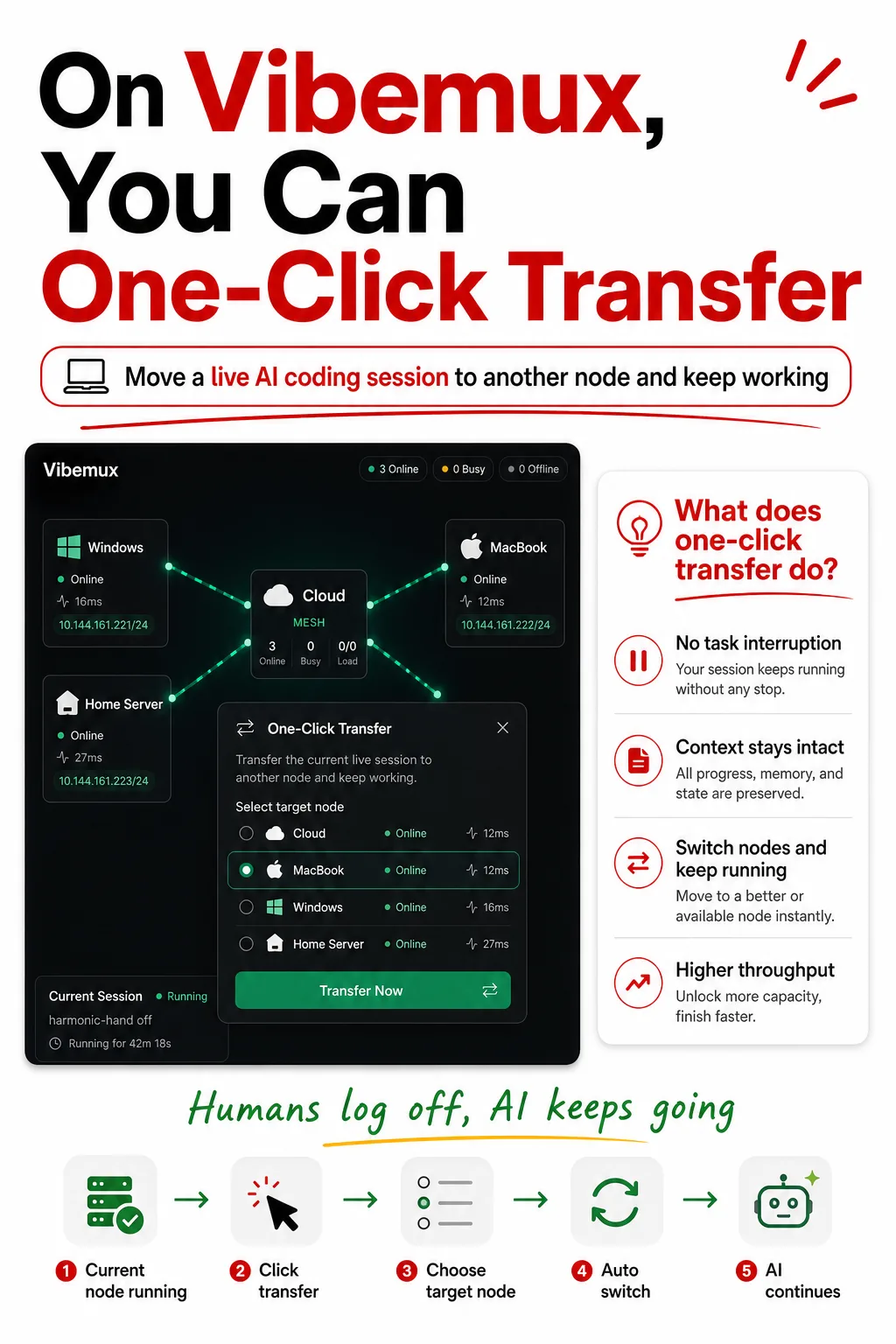
Continuing AI coding work on another machine should not require rebuilding the whole task by hand.
If the original laptop goes offline, closes, leaves the office, or simply loses the right environment, the work should still have a clean path forward.
When teams try to continue AI coding work on another machine manually, they often lose:
That is why cross-machine continuation often turns into recovery work instead of forward progress.
A strong cross-machine workflow should preserve:
The point is not only to reopen a conversation. The point is to continue the work safely.
The clean workflow usually looks like this:
This is fundamentally better than opening a new machine and telling the agent to "start over from here."
Real teams hit this problem all the time:
If the AI workflow cannot survive that transition, it remains fragile even if the model itself is strong.
Wemux treats this as a workload continuity problem.
That means the system is designed to help teams:
This workflow matters most for:
The right way to continue AI coding work on another machine is to move the task with its code state and execution context.
That is the difference between a workflow that survives real delivery work and one that only works while the original laptop stays awake.
These pages are discovered automatically from shared topics, so the internal linking graph grows with the content library instead of depending only on manual curation.
2026-07-06
Codex Handoff highlights a bigger shift in AI coding: tasks should continue across devices and hosts. wemux turns that idea into one-click transfer for real AI work.
2026-07-07
Compare wemux vs Orca for AI coding delivery, worktree execution, team workflows, routed workers, and persistent multi-machine development.
2026-07-07
See what an AI coding workflow for remote teams should look like when tasks, execution, review, and machine ownership are distributed.
2026-07-07
Remote handoff will become a core AI agent primitive because useful work needs to continue across devices, hosts, and long-running workflows.
These pages keep the surrounding product story connected, which helps both readers and search engines navigate the topic cluster.